The Rocks: At the Movies Series
A pixel-accurate, streaming-style pre-service experience for The Rocks Church — the weekly announcement reel reimagined as a self-running show the volunteer team updates in minutes, with zero code.
C4 Studios helped our church create amazing motion graphics for our At The Movies series. It was extremely interactive and super creative. Thank you so much Caleb for doing this for us! Will definitely be asking again.
The Rocks Church
Cannington & Baldivis
Overview
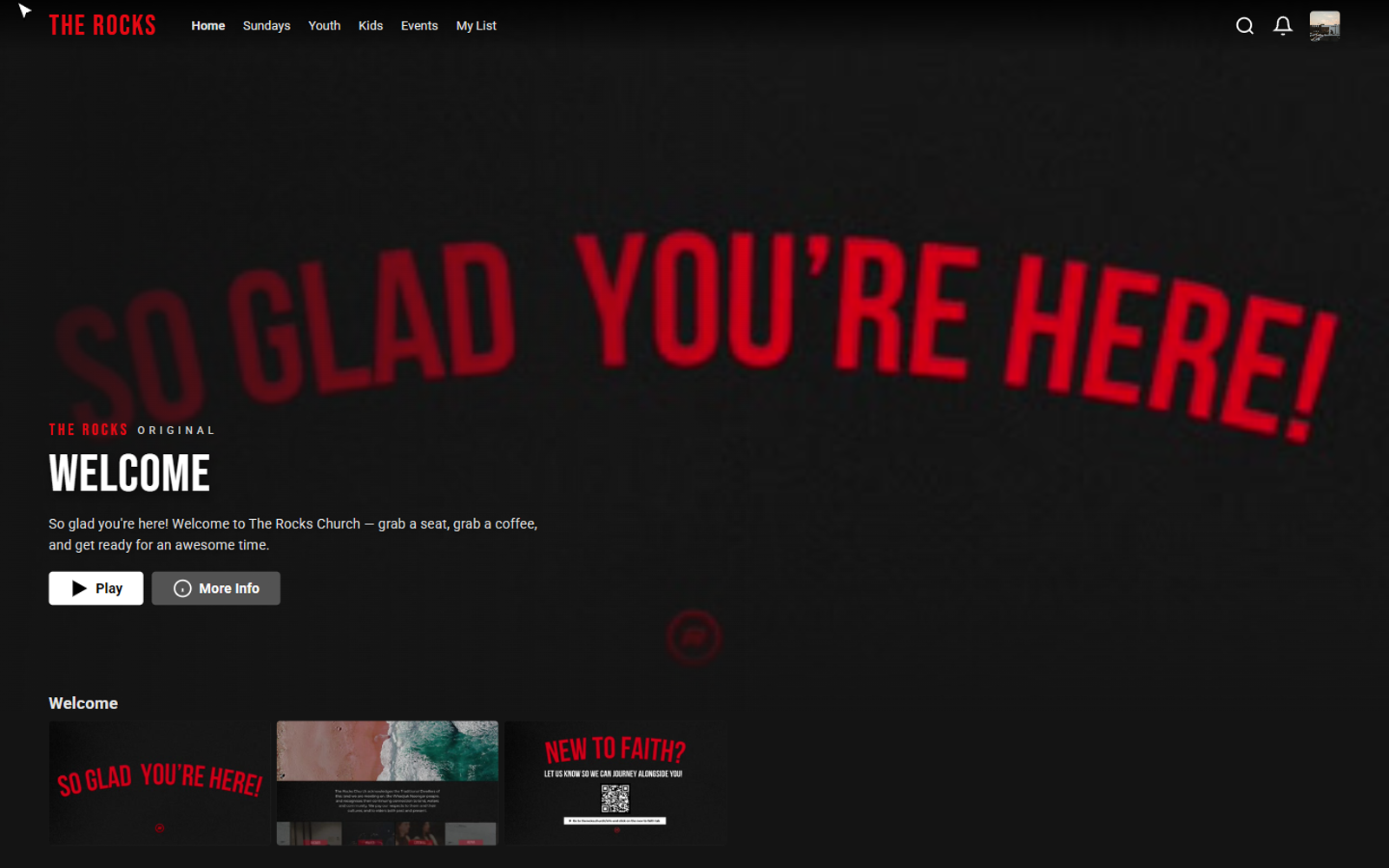
The Rocks Church runs pre-service loops across its Cannington and Baldivis campuses — announcements, ministry highlights and welcomes that play on the big screen before each service. The usual approach, videos back-to-back on the projector, did the job but lacked personality. C4 Studios reimagined it as a streaming-style experience: a pixel-accurate interface — an animated sign-in (its scripted cursor even fumbles and corrects a knowing password, "No Perfect People Allowed", a nod to the church's own ethos), a custom-branded intro, a campus profile picker, and a full browse screen with a hero billboard, categorised rows, hover-to-expand tiles, detail modals and inline playback — that wraps the church's own content in something genuinely fun to watch. It is campus-aware, tailoring the line-up to whichever campus is selected from a single build, and it is powered by a resilient, self-updating media system: videos live in a simple folder, and tile artwork resolves intelligently from a custom image, to an auto-generated video frame, to an embedded fallback. The whole thing is a single, self-contained package engineered around proportional units so it holds its shape on any display — landscape projector, ultra-wide or portrait — and it runs completely offline. The volunteer tech team refreshes it each week by dropping in new files: no developer, no hosting, no downtime.
Screenshots
What I Delivered
- Bespoke, single-file interactive experience — designed and built from scratch, with no templates, page builders or third-party streaming libraries
- Complete streaming-style journey — animated sign-in, custom-branded intro, campus profile picker and a full browse interface
- Hero billboard, categorised content rows, hover-to-expand tiles, detail modals and inline video playback
- Campus-aware line-ups for Cannington and Baldivis from a single build
- Self-updating media system — drop videos into a folder and the interface updates itself
- Three-tier thumbnail resolution (custom image → auto-generated video frame → embedded fallback)
- Resolution-independent layout that holds its shape across landscape, ultra-wide and portrait displays
- Fully offline, self-contained package — no hosting, no dependencies, no internet required
- Drop-in weekly content workflow the volunteer tech team runs with zero code
Key Features
- Pixel-accurate streaming UI — login, profiles, browse, detail modals and playback that mirror a premium streaming service
- Animated intro sequence — a custom-branded opening animation sets the tone
- Scripted cursor storytelling — a self-playing sign-in that types, second-guesses and corrects a playful password ("No Perfect People Allowed", a nod to the church's own ethos) before signing in
- Campus-aware content — tailored line-ups per location, all from a single build
- Self-updating thumbnails — a three-tier resolution system (custom, auto-generated, then fallback)
- Drop-in content management — swap videos weekly with zero code
- Universally responsive — adapts to any display resolution or orientation
- Fully offline and self-contained — no hosting, no dependencies, no internet required
Stack & Tooling
- Vanilla JavaScript (zero dependencies)
- HTML + CSS, single-file build
- Proportional / viewport-based responsive layout engine
- HTML5 video for inline playback
- Canvas-based auto-generation of tile thumbnails from video frames
Performance / SEO / Accessibility
- Fully offline and self-contained — no network dependency during a live service
- Zero third-party dependencies
- Resolution-independent layout built on proportional units — no fixed breakpoints to maintain
- Runs on any church computer, any display, any orientation
- Single-file package — nothing to deploy, subscribe to, or keep updated
Challenges & Constraints
- Making it indistinguishable from a real streaming interface — pixel-accurate, not a rough approximation
- Running reliably on any display the church might plug into — standard projectors, ultra-wide screens and portrait displays alike
- Staying completely self-contained and offline, with no internet dependency during a live service
- Letting a non-technical volunteer team swap content every week by dropping in files, with no developer involvement
What I'd Improve Next
- Optional scheduling so weekly line-ups can rotate automatically by date
- A lightweight admin screen for reordering rows and tiles without touching files
- Optional cloud sync so both campuses can share content updates from one place